01 · Copy
Find a look you love
Right-click any still on the web and choose Copy Image: a film frame, a photo, a palette or your own work.
Find a look you love. Aura grades your footage to match it. Pick any still from a film, a photo or your own work, and Aura's AI carries that look onto your shot, right inside Final Cut Pro.
Four steps, one Scan. Aura AI reads the color and tone of any reference and grades the frame under your playhead to match.
Right-click any still on the web and choose Copy Image: a film frame, a photo, a palette or your own work.
Press Paste in Aura's Reference panel, or pick an image from disk.
Aura AI reads the reference's color and tone, then grades the frame under your playhead.
The look carries onto your shot in one Scan. Not a filter pasted on top: Aura actually reads the grade.
A look moves through five stages. It comes in as a single still, the AI turns it into a grade on your Mac, and the grading room and film layer let you shape it before it lands on your timeline.
A film frame, a photo or your own work. Copy it from the web, paste it in, or choose a file.
The AI reads the reference's color and tone and carries that look onto your shot, while keeping skin natural.
Light, Tone Curve, Color Mixer, Color Grading, Detail, Optics and more, each section on its own switch.
Effects modelled on how light moves through a lens and onto film: grain, halation and lens character.
The finished look stays on your clip inside Final Cut Pro or Motion. No exports, no round trips.
Your footage and reference images never leave your Mac.
Paste a reference and press Scan. Aura AI grades your shot to match it while keeping what should stay put exactly where you set it.
Not sure where to start? Neutralise balances your shot so you begin from clean color.
Protect Skin keeps faces natural while the rest of the frame takes on the new look.
Keep Brightness changes color only, so your exposure stays exactly where you set it.
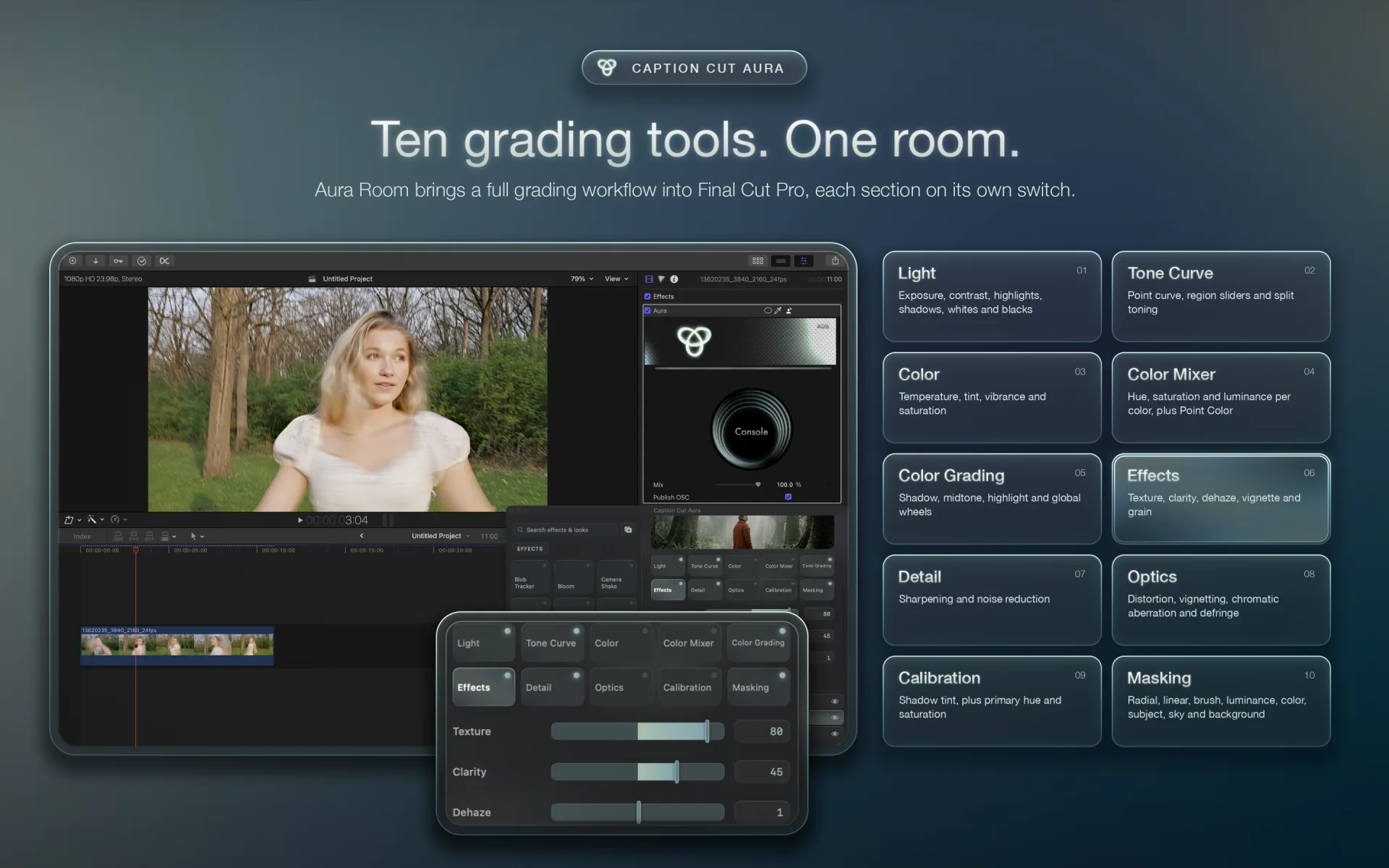
A full grading workflow inside Final Cut Pro, each section on its own switch
Light, Tone Curve, Color Mixer, Optics and Masking
Film, lens and motion effects that stack as layers
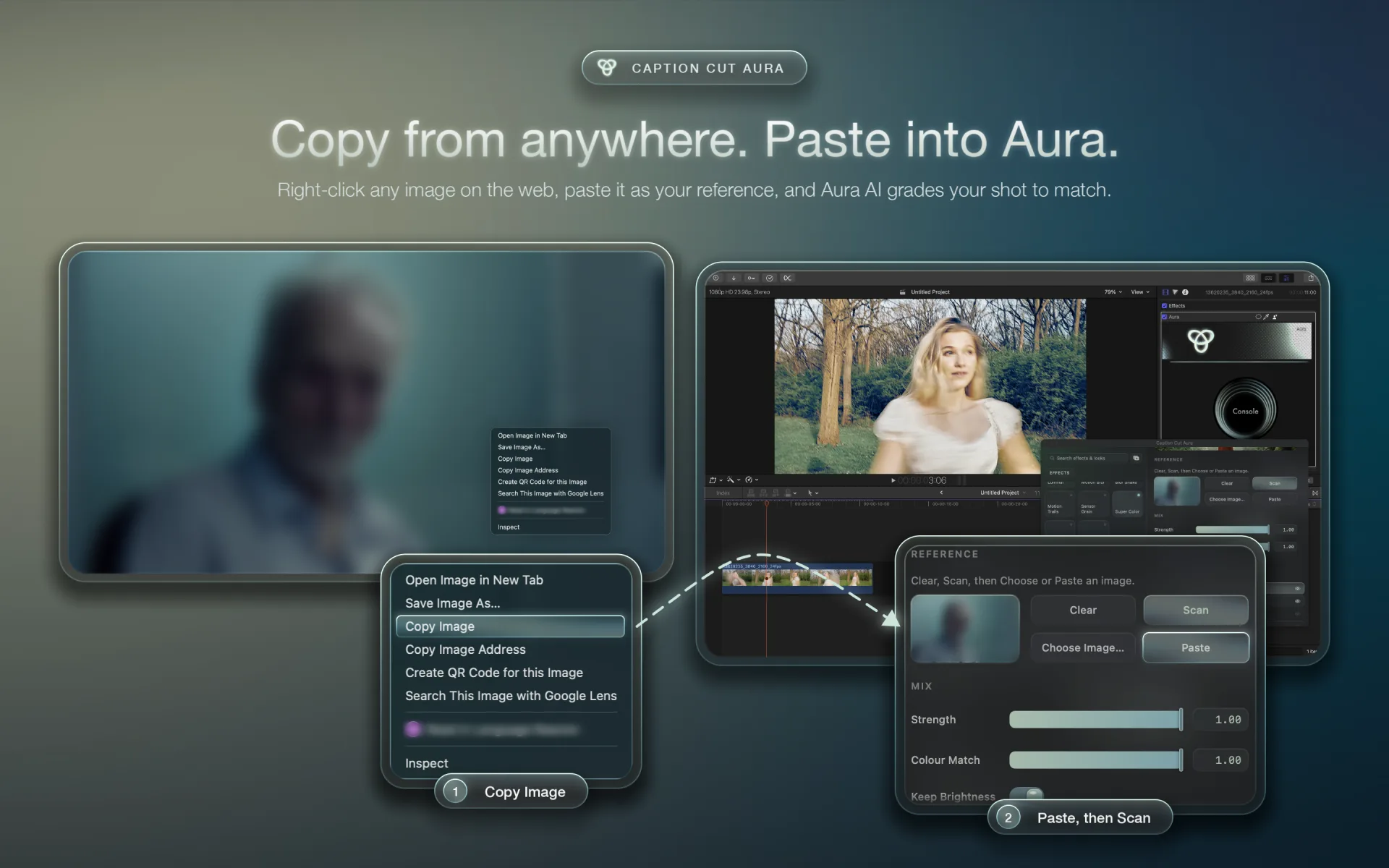
Right-click an image on the web, paste it into Aura, and it grades your shot to match
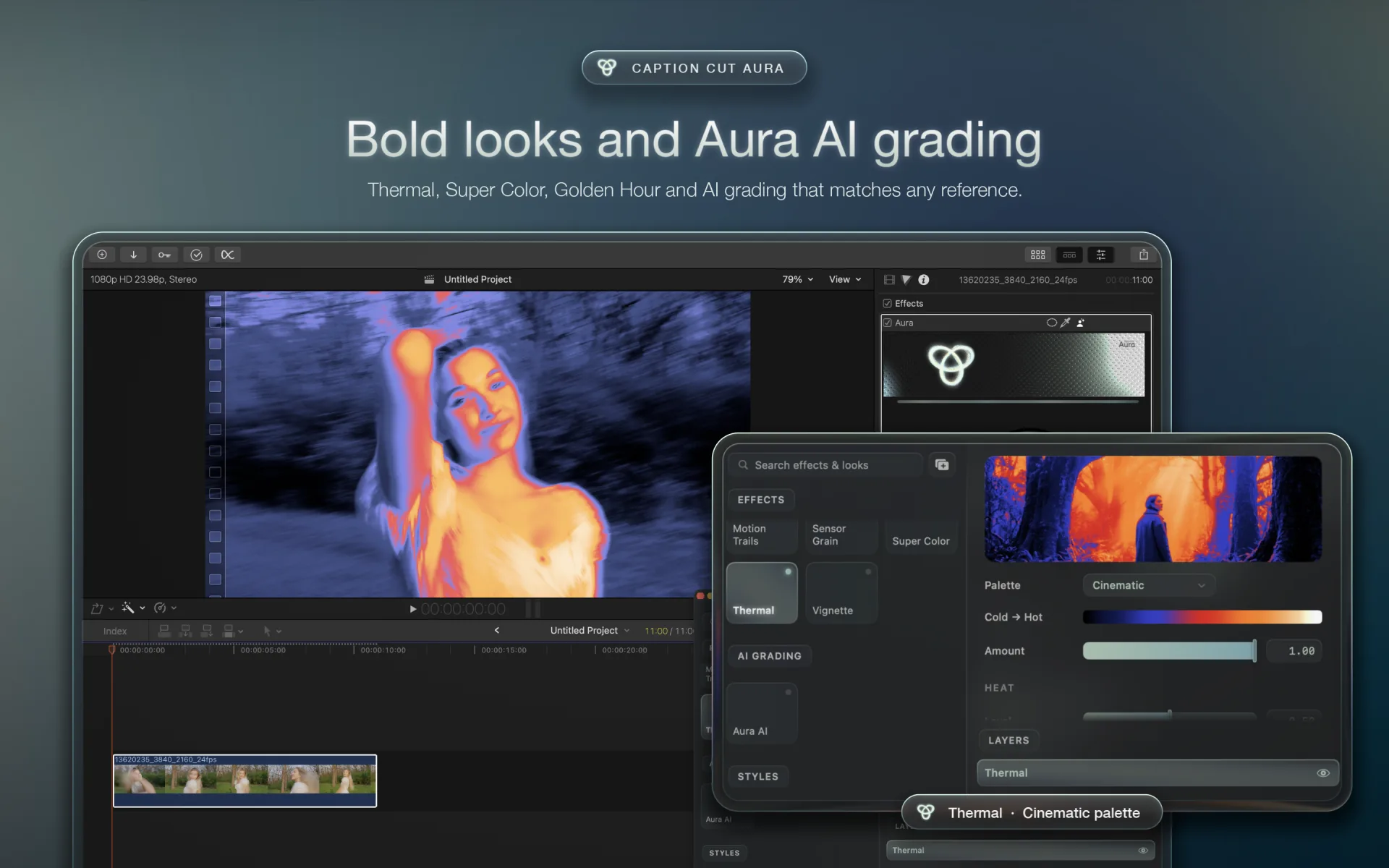
Thermal, Super Color, Golden Hour and AI grading that matches any reference
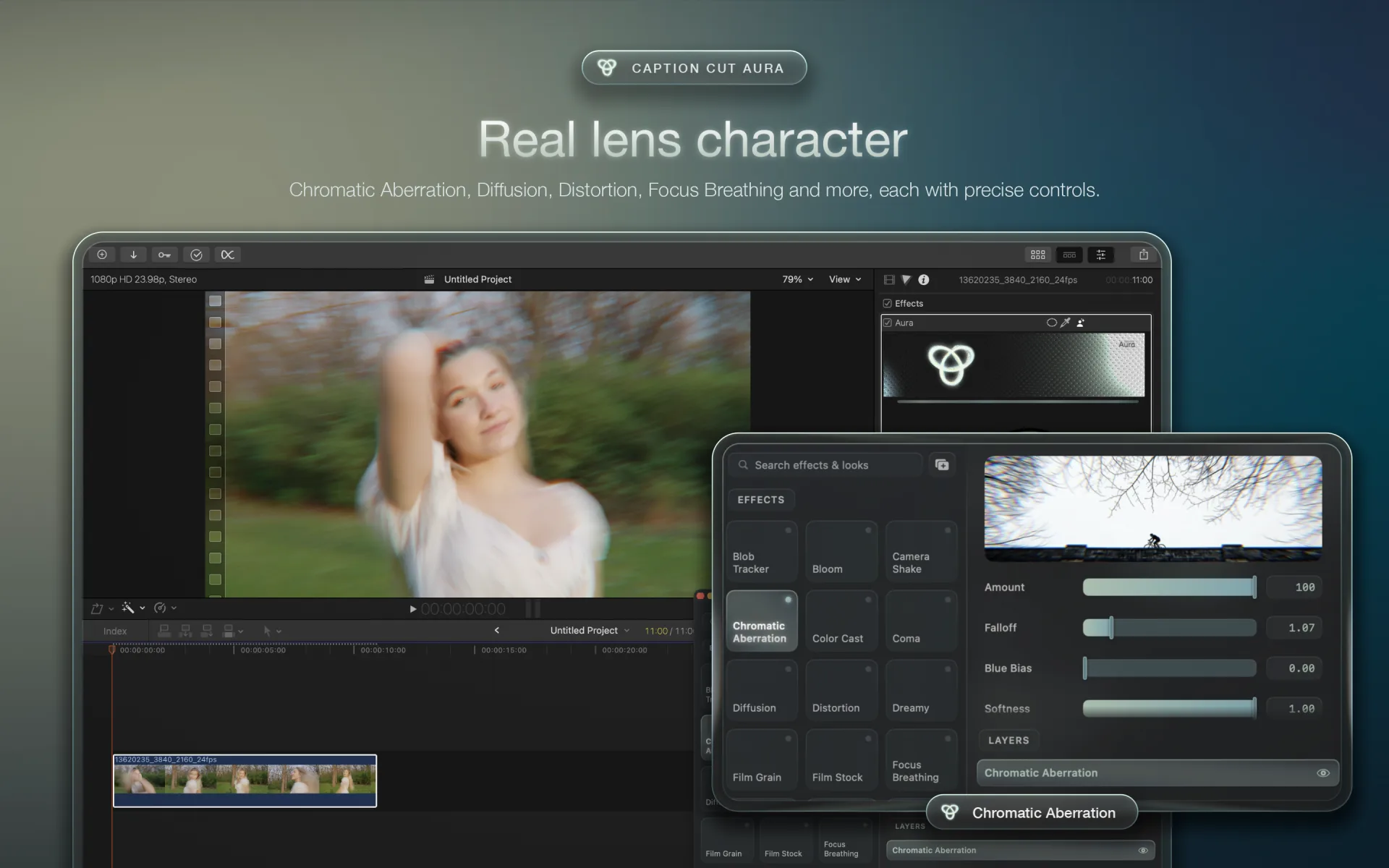
Chromatic Aberration, Diffusion, Distortion and Focus Breathing, each with precise controls
Mask the sky, then recolor it with refined edges
Pick any still and Aura AI grades to match
Every effect in Aura is built from how light actually moves through glass and onto film. So the image doesn't just change color. It picks up the texture of a real camera and a real stock.
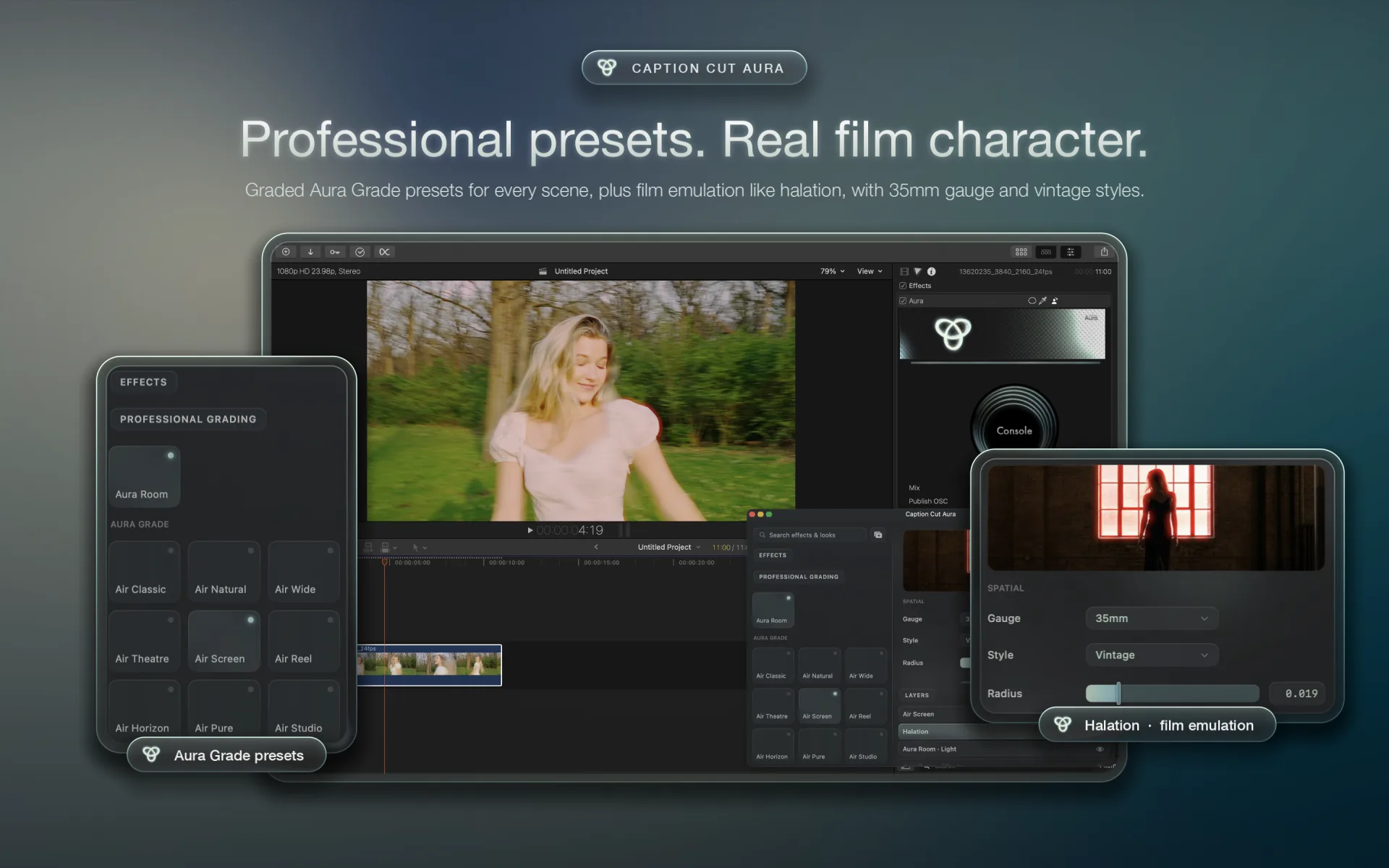
Grain that sits in the picture rather than floating on top of it.
A red glow around bright highlights, like light spreading in real film stock.
Chromatic aberration, diffusion, distortion and focus breathing, each with precise controls.
Light, Tone Curve, Color Mixer, Color Grading, Detail, Optics and more, stacked as layers. Grade, mask and finish without leaving your timeline.
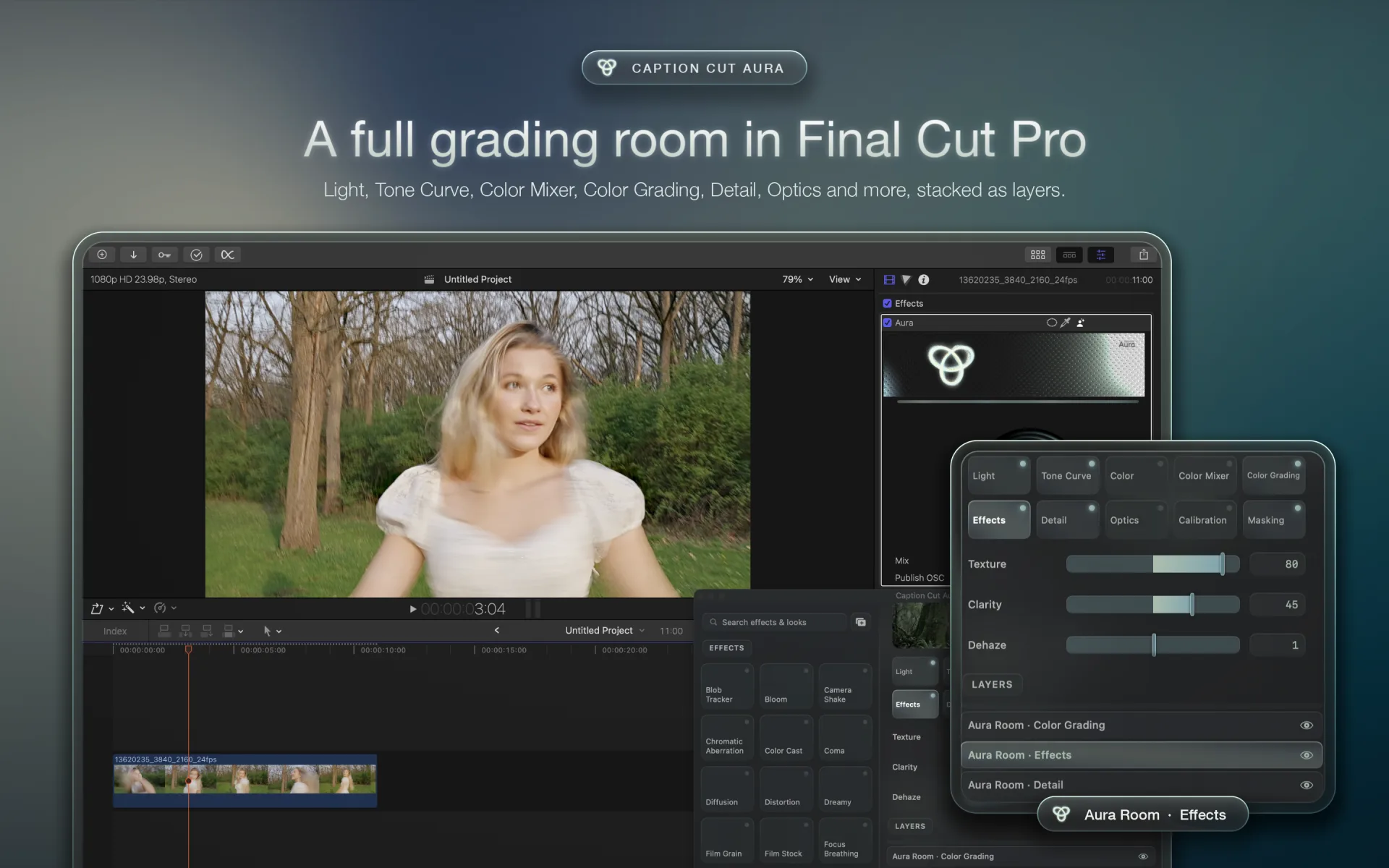
Shadows, highlights and global balance, graded inside Final Cut Pro.
Mask the sky and recolor it, or map brightness to your own color stops.
Follows movement frame by frame, with boxes, outlines and blend modes riding along.
$9.99, one-time purchase
AI color grading that matches any reference, a full grading room and real film character. Runs on your Mac and works in Final Cut Pro and Motion.